
Weather BUB
Weather Creative Inc.Weather
4.92.15K Reviews
- Version
- 6.2.7
- Installs
- 100.00K
- Age Rating
- Teen
Screenshots
Our Review of Weather BUB
 Analysis by Appyee
I installed Weather BUB expecting a lighthearted forecast tool and ended up treating it more like a small daily mood lift. The app comes from Weather Creative Inc. and sits in the weather category, but its appeal is not limited to whether you need a temperature reading before leaving home. The presentation makes checking the forecast feel less dry, which matters when weather apps usually become something I open only when I am already standing by the door.
That personality makes the app especially interesting on a shared device. In my home, one person might want a quick answer about rain, another might be planning a walk, and a younger user may simply enjoy opening the app because it feels friendly rather than technical. I would not describe it as a full household coordination platform, though. It helps people look at weather together, but the actual planning still happens through conversation or another app.
How Weather BUB fits into a shared household routine
The most natural use is a simple morning check. Someone picks up a family tablet or phone, opens the app, and looks at the conditions before deciding whether to take an umbrella, change clothes, or postpone an outdoor errand. The cheerful design gives that routine a little more character than a plain list of numbers and symbols. I found that useful because the weather check became easier to remember instead of feeling like another chore.
It also works well when different people use the same device at different times. A parent can check the forecast before school, a partner can look again before commuting, and a child can explore the display without needing a separate account just to understand what the day may feel like. That shared-device convenience is one of the app’s strongest practical qualities.
There is an important distinction, however: Weather BUB is a weather app, not a family scheduling or messaging service. It does not replace a shared calendar, group chat, or household reminder system. I would use it to support a decision—“Should we go now?” or “What should we wear?”—rather than expecting it to assign tasks or notify everyone automatically.
A useful check before leaving home
For everyday use, I recommend opening it at the moment a decision needs to be made rather than repeatedly refreshing it out of habit. If I am taking a child to a park, I want a fast look at the current conditions and the near-term outlook. If I am planning a longer trip, I would compare the information with a more detailed weather source before relying on it for timing, travel, or safety-sensitive choices.
That is not a criticism unique to this app; it is a sensible boundary for a visually focused weather tool. Weather BUB is at its best when it answers ordinary questions quickly and pleasantly. It is less suitable as the only source for serious storms, long-distance driving, outdoor work, or decisions where changing conditions could create a real risk.
What the first setup feels like
The setup is best approached as a personal-device decision, even when the phone or tablet is shared. Before handing the device to someone else, I would check which location the app is showing and make sure everyone understands that the displayed forecast may be for the household’s selected place rather than their own destination. That small conversation prevents a common mistake: assuming a forecast on a shared screen automatically applies to the person who is looking at it.
I also prefer to establish a simple boundary around settings. On a family device, younger users can browse the weather, while an adult handles changes that affect the whole household’s experience. This is not because the app needs to become complicated; it is because shared devices work better when everyone knows which actions are harmless viewing and which actions change the information other people will see.
Weather BUB is free to download, which makes trying it on a household device easy. The app does include in-app purchases ranging from $1.99 to $29.99 per item, so I would not leave purchase decisions vague on a device used by children. I would explain that the basic app can be explored without treating every optional purchase as part of the normal weather-checking routine.
The current version is 6.2.7, and the app supports devices running Android 7.0 or later. That makes it a realistic candidate for an older spare phone or tablet, provided the operating system meets that requirement. I would still test it on the actual shared device before building a household habit around it, especially if the device is slow or has limited storage.
Keeping location and expectations clear
Location is where shared use needs the most care. A person checking the weather for school, work, or a trip should verify the place shown instead of assuming it has changed automatically. This is a practical habit with any weather service, but it matters more when several people use one screen and each person may have a different destination.
For a household, I would keep one agreed routine: first check the shared home location, then confirm another place only when someone is actually planning to travel. That avoids leaving the device set to a temporary destination and confusing the next person. It also turns the app into a small coordination aid without pretending it has household profiles or shared planning tools.
Another useful boundary is to separate weather information from personal data. I would avoid treating the app as a place to record family schedules, addresses, or private arrangements. The app’s job is to help interpret the day outside. A shared calendar or messaging tool remains the better place for names, appointments, pickup plans, and changes that everyone needs to see.
Using the forecast to coordinate without overcomplicating things
The app can support quick household conversations particularly well. Instead of one person announcing a vague impression that it “looks bad outside,” everyone can look at the same weather display and make a more informed choice. That is useful for deciding whether to walk, wait, carry rain gear, or move an activity indoors.
I like this workflow because it keeps the app in a realistic role. One person checks the forecast, another confirms the destination, and the household makes the final decision together. The app supplies context, not authority. Forecasts can change, and a friendly interface should never encourage anyone to treat a prediction as a guarantee.
For commuting households, a two-step check works well. I would look at the app before leaving home, then check again if the outing is delayed or conditions appear different from the earlier forecast. That second look is more useful than assuming the first check remains accurate all day. It is a small habit, but it reduces the temptation to make a long plan from one glance.
Families with children can also use the app as a conversation starter. A younger user might ask why the display looks different from yesterday or whether a jacket is needed. An adult can turn that into a practical explanation about temperature, rain, and changing conditions. The playful visual style helps here because it invites curiosity instead of making the discussion feel like a lesson.
Where the cheerful design helps—and where it does not
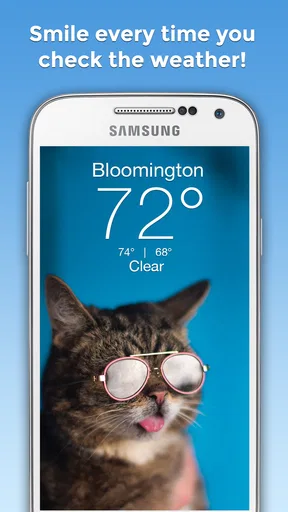
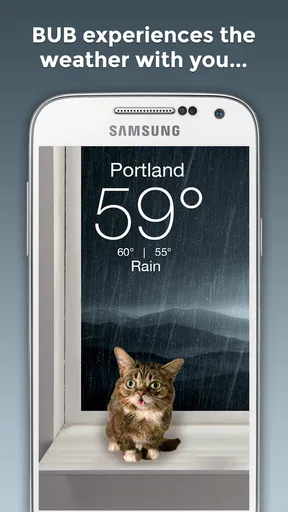
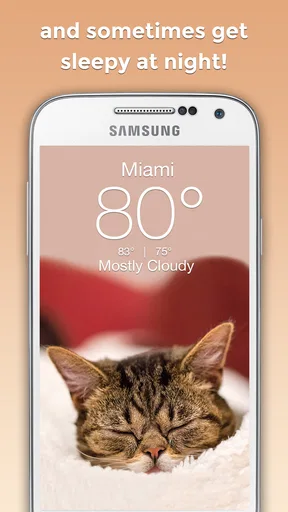
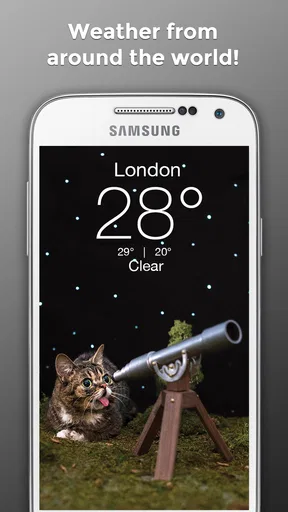
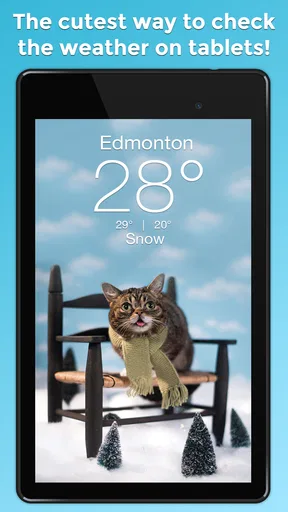
The biggest difference between Weather BUB and a conventional weather utility is emotional tone. Its store summary presents it as a cute way to check the weather, and that description matches my experience of the design direction without telling the whole story. The app makes a routine glance feel more approachable, which is valuable for people who find dense charts, maps, and technical language tiring.
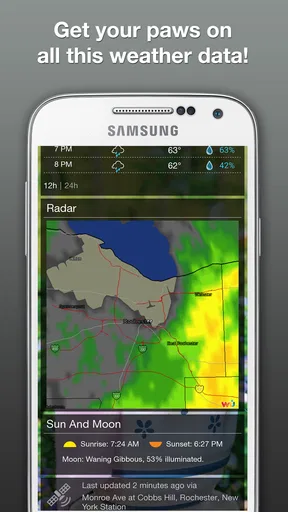
That same choice may frustrate users who want maximum information immediately. If your ideal weather app opens with radar layers, detailed hourly comparisons, severe-weather tools, and extensive customization, this is probably not the first option I would recommend. Weather BUB favors friendliness and accessibility over the feeling of operating a professional meteorological dashboard.
There is also a trade-off in using a cute interface on a shared device. Adults may appreciate the relaxed presentation, while older children may find it engaging. On the other hand, someone who wants a no-nonsense screen for a quick business trip may prefer a more conventional alternative. I would choose Weather BUB for repeated everyday checks, not because it replaces every specialized weather tool.
Its average rating is 4.9 from around 8.7 thousand ratings, and the app has passed 100 thousand installs. Those figures suggest that the approachable concept resonates with a substantial group of users, though they do not remove the need to judge whether the style suits your household. A popular visual approach can still be the wrong fit for someone who values technical depth above all else.
Age, trust, and responsible shared use
Weather BUB carries a Teen content rating. I would keep that context in mind when deciding how a child uses it, but I would not treat the rating as a substitute for supervision or conversation. A weather app may seem harmless, yet shared devices still involve purchases, settings, and the possibility that one person misunderstands which location or forecast is being displayed.
For younger users, my approach would be to let them view the weather and ask questions while an adult remains responsible for purchases and important decisions. I would also make clear that the app is helpful information, not an emergency authority. If there is dangerous weather, official local alerts and instructions should take priority over a cheerful general forecast screen.
Trust also means being honest about what the app can do. I would not tell a child that opening it guarantees the right clothing choice, and I would not use it as proof that an outdoor event is safe. The strongest household habit is to combine the app with observation, local guidance, and an adult’s judgment when conditions are uncertain.
Because the device may be shared, I would avoid assuming that one person’s preferences represent everyone’s needs. A commuter, a child going to school, and a person planning outdoor work may all ask different questions about the same day. The app can begin the conversation, but each person should confirm the part of the forecast that affects them.
What I would choose instead in specific situations
I would choose Weather BUB over a standard utility when the main goal is to make frequent weather checks pleasant and understandable. It is a particularly good match for someone who dislikes intimidating weather screens, for a household that shares one device, or for a user who wants a friendly glance before ordinary activities.
I would choose a more advanced weather service when I needed detailed radar interpretation, specialized warnings, extensive location management, or deep planning tools. I would also use another source alongside it for travel through areas with rapidly changing conditions. That is not a failure of Weather BUB; it is simply the difference between a welcoming daily checker and a specialist instrument.
People who dislike decorative presentation should think carefully before installing it. The app’s identity is closely tied to its cute, upbeat approach, so someone looking for a stark, information-dense interface may become impatient. Likewise, households that need separate user spaces, formal permissions, or built-in coordination should look elsewhere rather than expecting those functions from a weather app.
My household verdict
After using Weather BUB, I see it as a strong choice for the small moments when weather information needs to be easy to approach. It turns a routine check into something more inviting, and that can make a real difference on a shared phone or tablet where several people need the same basic answer.
The best way to use it is with clear boundaries: confirm the location, keep purchase decisions with an adult, treat the forecast as guidance, and use another service when detailed or safety-critical information matters. Those habits let the app do what it does well without asking it to become a family planner or emergency system.
Weather Creative Inc. has made an app that feels more personal than a bare forecast panel. I would recommend it to households that value a friendly experience and want an uncomplicated way to discuss the day’s weather. I would skip it only if my priority were technical depth, extensive coordination, or a highly formal interface. For ordinary morning decisions, walks, school preparation, and quick shared checks, Weather BUB is a charming and practical companion.
Its free entry point makes the experiment low-risk, while the Teen rating and optional purchases are good reasons to set expectations before children use a shared device. My final view is simple: choose it for approachable daily weather checks, not as a replacement for specialized forecasting or household management.
Verdict
Strengths of Weather BUB
- Clean interface makes current conditions easy to check quickly.
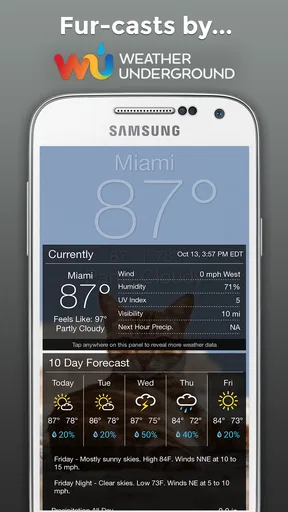
- Provides useful weather details beyond just the temperature.
- Forecast information is presented in a simple, readable format.
- Helpful for planning daily activities around changing weather.
- Lightweight design should be comfortable on most modern devices.
Limitations of Weather BUB
- Forecast accuracy may vary depending on location and data coverage.
- Some features or details may require an internet connection.
- The app may offer fewer advanced tools than dedicated weather services.
- Advertising could make the experience less enjoyable for some users.
- Battery or data use may increase if location updates run frequently.
Other Releases by Weather Creative Inc.
View All
Weather Puppy - App & Widget
Weather4.9

Weather Kitty - App & Widget
Weather4.9

Grumpy Cat Weather
Weather4.9

Wildlife Weather
Weather4.7
Similar Picks in This Category
View All
Weather - By Xiaomi
Xiaomi Inc.4.1

Weather & Radar Forecast
WetterOnline4.8

Weather
OneLouder Apps4.6

AccuWeather: Weather Radar
AccuWeather3.6

The Weather Channel - Radar
The Weather Channel4.6

1Weather Forecasts & Radar
OneLouder Apps4.3
Frequently Asked Questions
What is Weather BUB and what can I use it for?
Weather BUB is a weather application designed to provide quick access to current conditions and forecasts in a simple, visually friendly format. After opening the app, users can typically check temperature, precipitation, wind, humidity, and other useful details for selected locations. It is suitable for everyday planning, commuting, travel, outdoor activities, and checking whether conditions may change during the day.
Does Weather BUB require my location, and can I add places manually?
Weather BUB may request location permission so it can automatically display weather information for your current area. You do not necessarily have to enable this permission if you prefer greater privacy or want to monitor another place. Depending on the version and device, locations can generally be searched for and added manually, which is useful for checking weather at home, work, or a planned destination.
How accurate are the forecasts provided by Weather BUB?
Weather forecasts are estimates generated from meteorological data, so Weather BUB should be treated as a helpful planning tool rather than an absolute guarantee. Current conditions and short-term forecasts are usually more dependable than predictions several days ahead. Accuracy can also vary according to your location, local geography, available weather stations, update frequency, and the data provider used by the application.
Does Weather BUB provide severe weather alerts or notifications?
Weather BUB may include notifications, warnings, or alert-related features depending on the platform, region, and current app version. Before relying on it for storms, extreme temperatures, flooding, or other dangerous conditions, review the notification settings and confirm which alerts are supported in your area. For emergencies, always compare the app with official government weather and safety services.
Is Weather BUB free to download, and are there advertisements or in-app purchases?
Weather BUB’s availability, pricing, advertising, and optional purchase features can differ between Android and iOS and may change with future updates. Check the official store listing before downloading to see whether the app is free, contains advertisements, or offers subscriptions or paid upgrades. Also review the requested permissions and privacy information so you understand how the app handles location and usage data.
